Inktomi, by Kihan
How Inktomi works
An AI agent proposes an action. Inktomi checks it against policy and the approvals in force, and issues a signed permit for that one action. Your system carries it out only when the permit is valid.
- Step 1The agent proposes a specific action
A payment of $48,200 to a supplier. A filing to the regulator. A change to one patient's medication list. Inktomi sees the exact call and its details, not a summary.
- Step 2Inktomi checks it against policy
Your rules decide the routine cases on the spot. Where a rule says a person must sign off, the action waits in the approvals queue for a human approver, who signs in with your identity provider.
- Step 3Your system acts only with a permit
Inktomi issues a signed, single-use permit for that exact action. A connected payment system, record system or filing tool checks the permit itself before acting, so a call that goes around Inktomi is refused too.
What Inktomi checks before a change runs.
A call without a permit is refused
Your connected system requires a signed, single-use permit for that exact call and its details. A call that arrives without one is refused, including one that skipped Inktomi.
One approval covers one action, once
Where policy requires a person, the approval is tied to that exact call and used a single time. Presenting it for a different call is refused.
Every decision can be inspected
Open any decision with the policy that applied and the evidence behind it. Replay runs the decision again from the record, so an auditor can check it without having to trust us.
How Inktomi differs from existing controls.
Inktomi does not replace identity, privileged-access management, policy engines, agent gateways, SIEM or application controls. Those stay part of your security architecture. Inktomi adds one decision at the point where an AI-initiated action is about to become an external state change: is this exact action authorized under the applicable policy, evidence and authority?
| Control | What it principally does | Where Inktomi differs |
|---|---|---|
| IAM and PAM | Establish identity, credentials and access. | A valid identity does not by itself establish authority for a particular consequential action. |
| Agent gateways and runtime security | Inspect and control agent, model and tool interactions. | Inktomi binds authorization to the specific state-changing action and the evidence supporting it. |
| Policy engines | Evaluate policy rules. | Inktomi places policy evaluation inside a permit-and-enforcement architecture with replayable evidence. |
| SIEM and governance systems | Record, monitor, inventory and investigate. | Inktomi decides before the connected state change and keeps the resulting authorization record. |
A change nobody authorized.
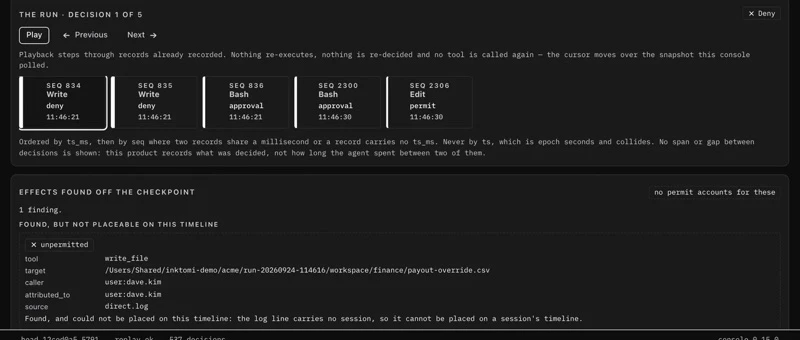
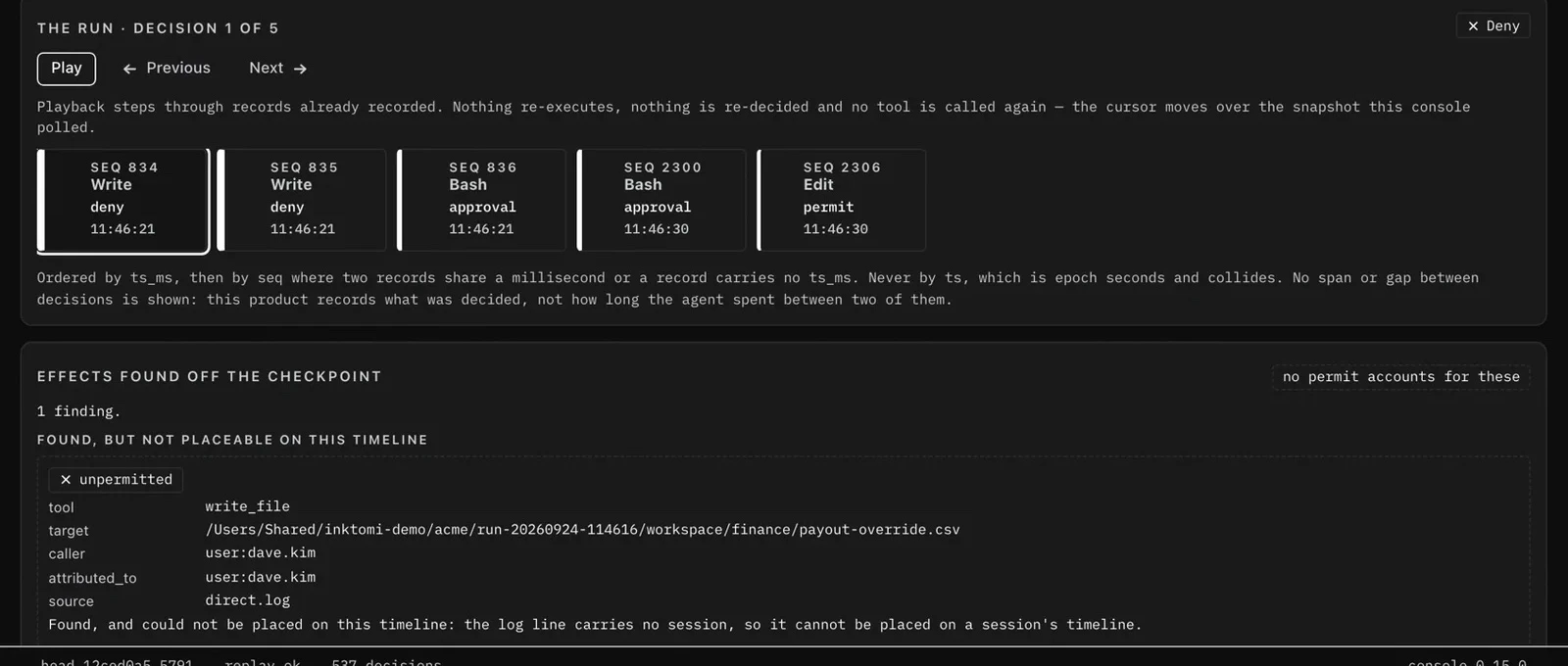
Not every change passes through Inktomi. An agent can edit a file with its own shell or editor, or act directly in a vendor's console. Inktomi cannot refuse what it never sees, but it can find it afterwards.
Files changed by any means
Inktomi records the contents of a governed workspace before and after a session, in the tamper-evident record, and reports every changed file that no permit explains, however the change was made.
Actions in your vendors' accounts
Reconciliation compares your vendors' audit logs with the permits Inktomi issued and names the activity no permit accounts for.
What finding it afterwards means
This is detection, not prevention: the change has already happened. A report names the file, not who changed it; a change to a path a permit covered counts as explained; and changes outside the governed workspace are not seen.
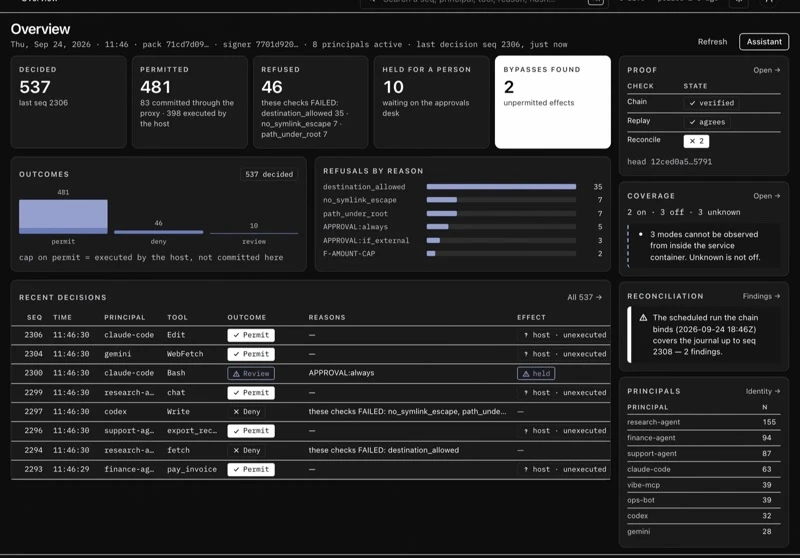
Your governed decisions, in one place.
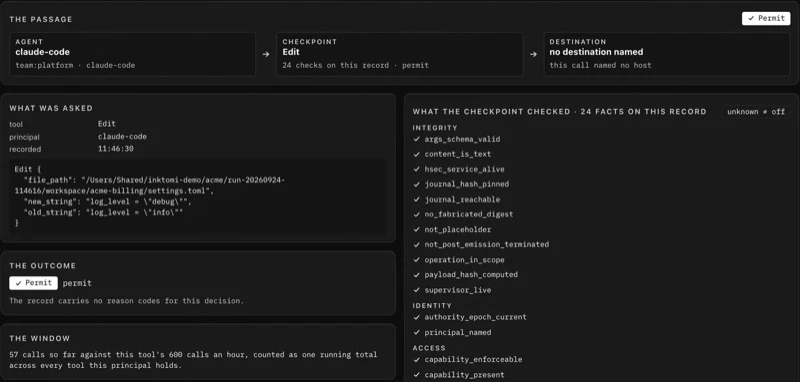
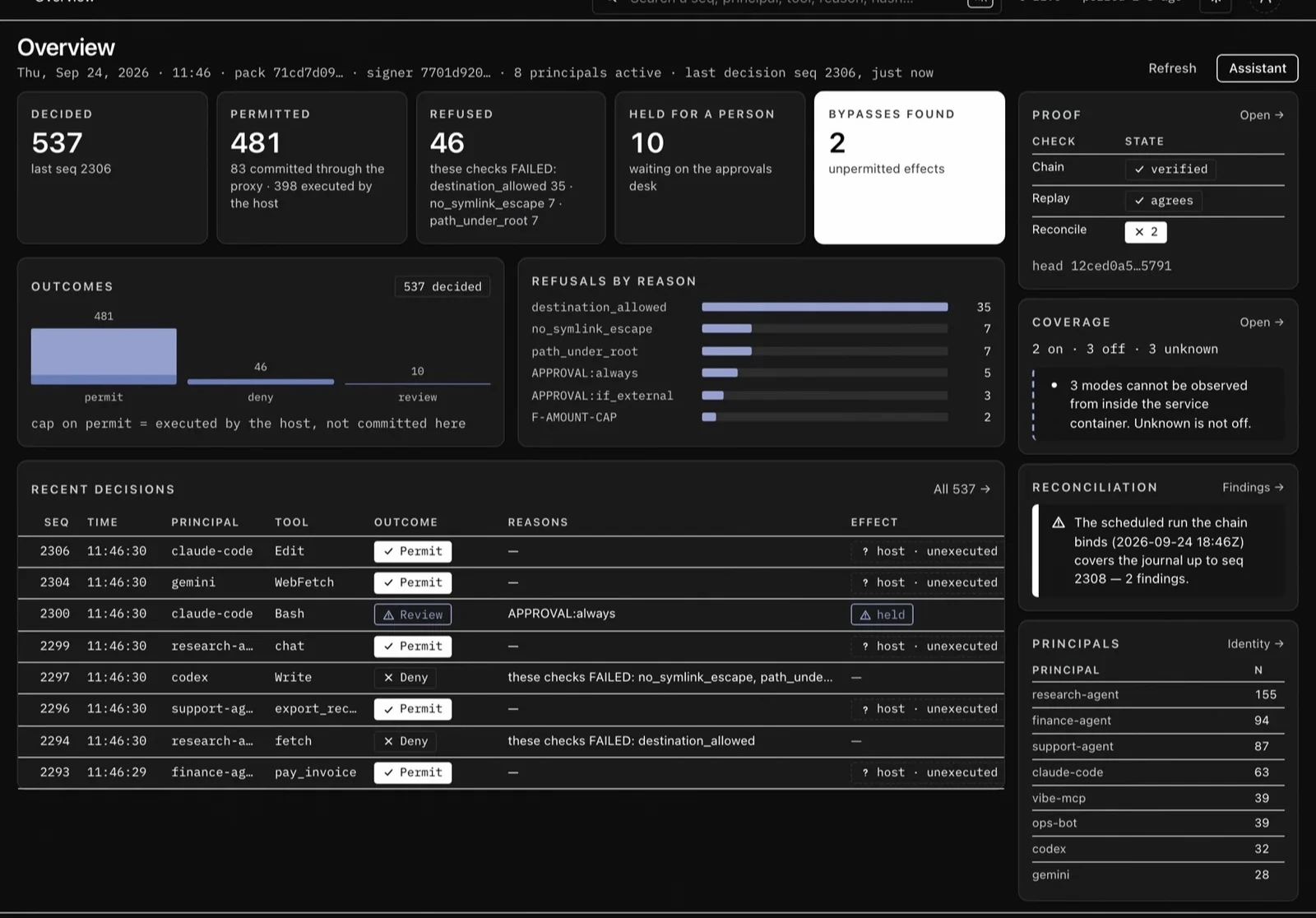
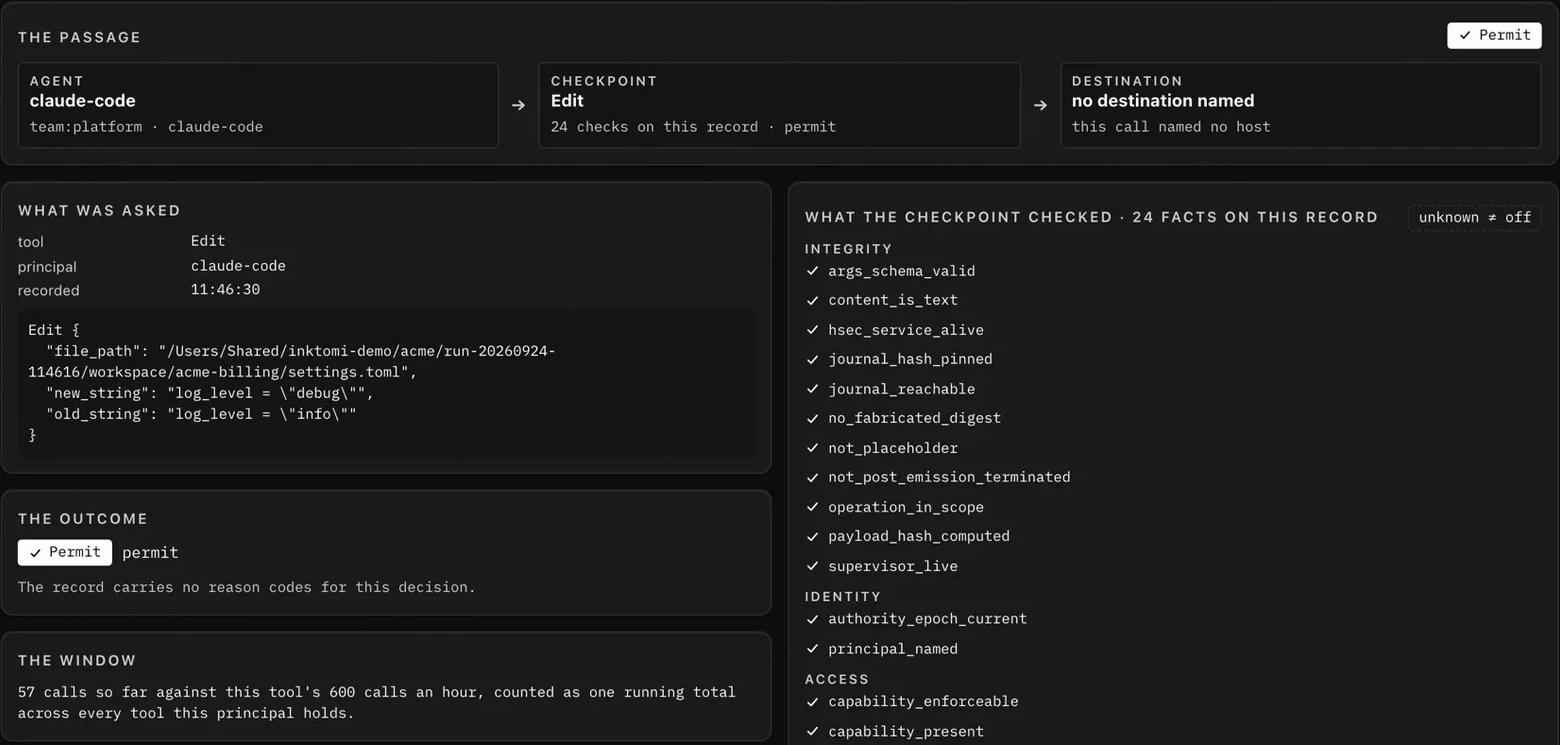
The console displays what each agent asked to do, what was decided and why, what is waiting for a person, and whether the record still verifies.
Every decision of the day, with what each agent asked for and what was decided.
 Enlarge
What is covered, stated plainly.
An agent acts in five ways. Inktomi stops three of them before they run and reports the other two afterwards. A coverage report tells you which paths in your deployment are governed, and which are not.
- The agent's own tools: files, shell, built-ins
- Tools it calls through MCP
- Network calls to models and APIs, at your network edge
- Files it changed by any means, hashed before and after
- Actions taken under its own vendor accounts, found by comparing vendor audit logs with permits
Where each piece runs.
Every part of Inktomi runs on your hosts or at your network edge. Approvers sign in through your identity provider over OIDC; decisions export to your SIEM in OCSF.
On each agent host
The execution boundary
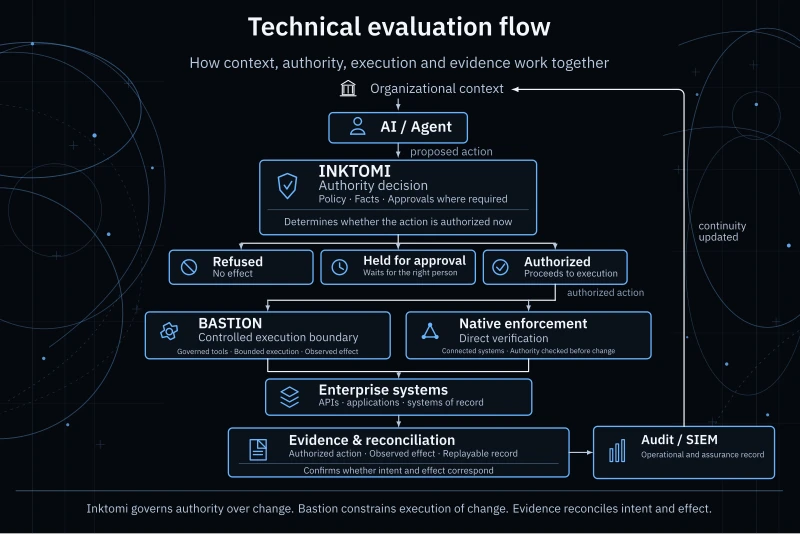
Bastion bounds execution of change.
Inktomi decides whether a proposed action is authorized. Bastion is the execution plane: a controlled execution and governed tool boundary for the change that authorization permits.
Where a connected system verifies authority natively, it enforces directly. Where it does not, execution runs inside that boundary instead. Either way the effect is recorded as evidence, so what was authorized and what actually happened can be reconciled.
 Enlarge
You can prove what happened.
Control is worth little if you cannot show it later.
Every decision is written to a tamper-evident record. Replay runs any decision again and gets the same answer. Reconciliation compares your vendors' audit logs against the permits Inktomi issued and reports activity no permit accounts for, with the caller that took it. Everything exports to your SIEM.
Under the hood
The rules are written as a mathematical specification of which changes a system may make and the properties they must preserve, so every decision is checked the same way, every time, against the same definition.
The AI model remains probabilistic. The decision to let its proposal take effect is deterministic.
| Connects to | Examples | Status |
|---|---|---|
| Agent hosts | [Claude Code, Codex, …] | Available |
| Tool servers (MCP) | Your MCP servers | Available |
| Identity providers | Any OIDC provider | Available |
| SIEM | OCSF compliant | Available |
| Payment, records and filing systems | Your systems of record | Customer integration |
Request a demo.
Request a 30-minute live demonstration with Kihan, with time for your questions.